Sandustry Blueprints
Blueprints in Sandustry are the save layer of the copy-paste system. Here is the exact sequence, the keys, and how a design travels between two players.
GamePrimer EditorialUpdated Verified
Press C to enter select mode, drag over the part of your factory you want, and Ctrl+C to copy it. Open the Building tab (Q), choose Blueprint, and click the floppy-disk icon on the newest entry in Clipboard History to keep it. Export turns that saved blueprint into a string you can send to another player; Import takes theirs.
Most write-ups treat copy-paste and blueprints as two features. They are one, and the developers title their own instructions accordingly — Official“How do I make a Blueprint with Copy and Paste System?” A blueprint is simply a clipboard entry you chose to keep before the next copy overwrote it.
That is why the blueprint list is empty until you have copied something, which is where most people get stuck looking for a button that is not there.
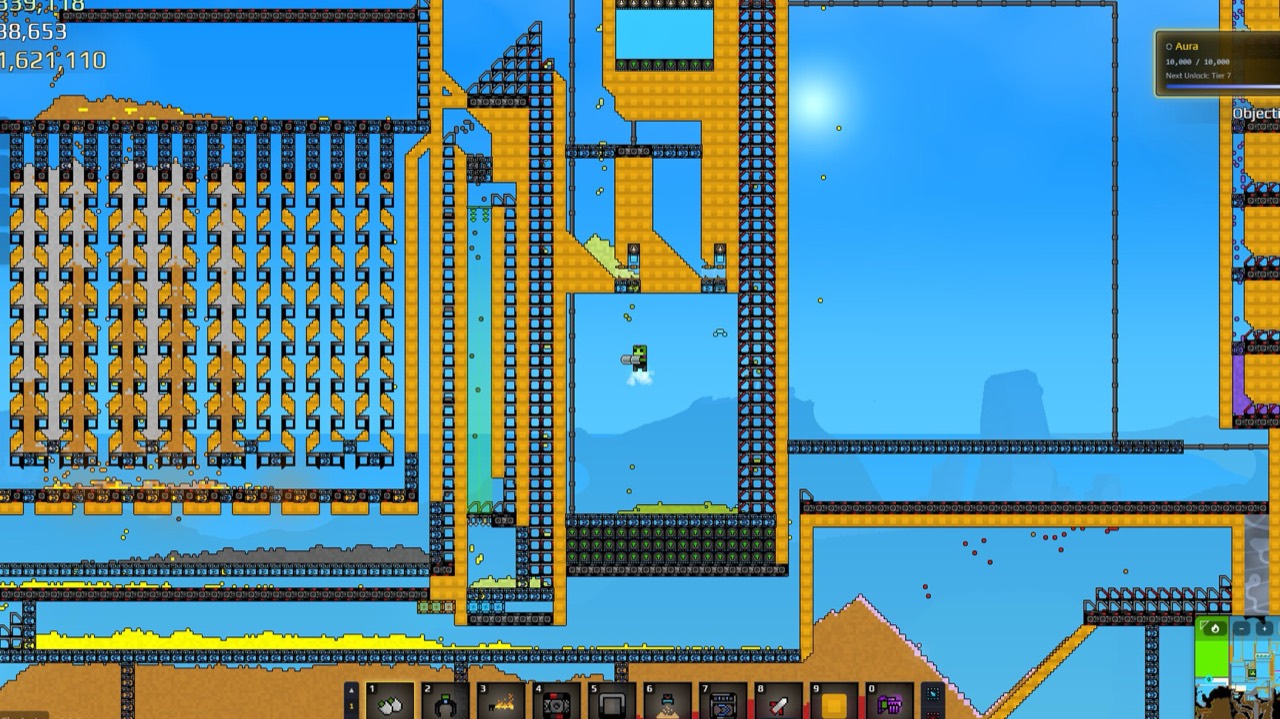
Making one
Four steps, and the order matters.
- Press C to enter select mode. This is the default binding, and the official Beginner’s Guide gives the same key for picking the structure you want to copy.
- Drag over the part of the factory you want. Holding
Shiftgives you a marquee box to drag around player-placed blocks instead of picking them one at a time — controls has the rest of the keys. - Ctrl+C to copy it. Ctrl+V pastes the same selection straight back down if you only wanted a quick duplicate and no saved copy.
- Open the Building tab — Q — and choose Blueprint. In Clipboard History, click the floppy-disk icon on the newest entry and give it a name.
The copy you just took is the newest entry, so it sits at the top of that list. Save it before you copy anything else, or it moves down and eventually out.
The keys worth knowing
| Key | What it does |
|---|---|
C |
Enter select mode |
Ctrl + C |
Copy the selection |
Ctrl + V |
Paste it |
Ctrl + H |
Flip a copied or selected structure |
Ctrl |
Replace hotkey — swap a building for the one you are holding |
Ctrl+H is the one people miss. A gold line built left-to-right does not need rebuilding to run
the other way, you flip it on the way down. The developers note the obvious caveat: these are
defaults, and rebinding your keys can stop them working.
The replace hotkey pairs with blueprints better than it first looks. When you unlock Conveyor
Belt Mk.2 you do not need a new blueprint for the faster version — paste the old one and run
Ctrl along the belts.
Sending a design to someone else
Both directions live in the same place: open the blueprint section of the Building tab and click import or export.
Exporting produces text rather than a file — the game hands you a string, and that string is the whole design. Importing is the reverse: choose import and paste the string into the box that appears.
Where designs get shared
Of the official channels, Hooded Horse points factory builds specifically at the r/SandustryGame subreddit. The Discord is listed for chat, tips and feedback rather than for sharing builds.
There is also SandustryVault, a fan-run site built to collect blueprint strings, whose blueprint section is called SandPrints. It is run by TrimBarktree and states plainly that it is a fan site with no affiliation to Lantto Games or Hooded Horse.
That was the situation on 18 August 2026, when nothing had been published anywhere public. Checked again on 22 August, the split is worth knowing. The vault still lists nothing — its SandPrints section reads Community“No blueprints yet”, and submissions there go through review before they appear. The subreddit is where designs actually started arriving, in the week of 20 August: a throughput controller built around a door and a presence sensor, and a T flip-flop with an asynchronous reset, both posted as strings you can paste straight in.
That was true on 22 August. A day later the vault had filled up: twenty-five designs by ten people. Every one of them, and which side of the rewrite it was built on is the whole list. If you have a line that works, posting it is still worth doing.
Blueprint a line that works, not one you are still fixing
A blueprint repeats whatever you gave it. If the line jams before you save it, every copy you stamp down jams the same way — and now you have four of them to unpick instead of one.
Get one run producing cleanly first. That usually means the Filters are ordered heaviest-first, which is the most common reason a copied line looks identical to the original and still does not work.
Related
- Sandustry Factory Layout — where each machine goes so the line keeps moving
- Sandustry Production Chains — every step from sand to gold, with the real yields
- Sandustry Filters Explained — Allow vs Block, and why density decides what a Filter ever sees
Sources
- OfficialSandustry FAQ — pinned by Patrick (Hooded Horse), Steam Discussions
- OfficialBeginner's Guide — Sandustry Official Wiki
- OfficialSandustry Beginner's Guide — Hooded Horse, Steam Guides
- OfficialCommunity and social links — Hooded Horse, Steam Discussions
- CommunitySandustryVault — community blueprint vault
- CommunityThroughput controller — u/ShaggyManeTheOne, r/SandustryGame
- CommunityT flip-flop with async reset — u/SiY11, r/SandustryGame
